Archive software as records
Introduced in v14
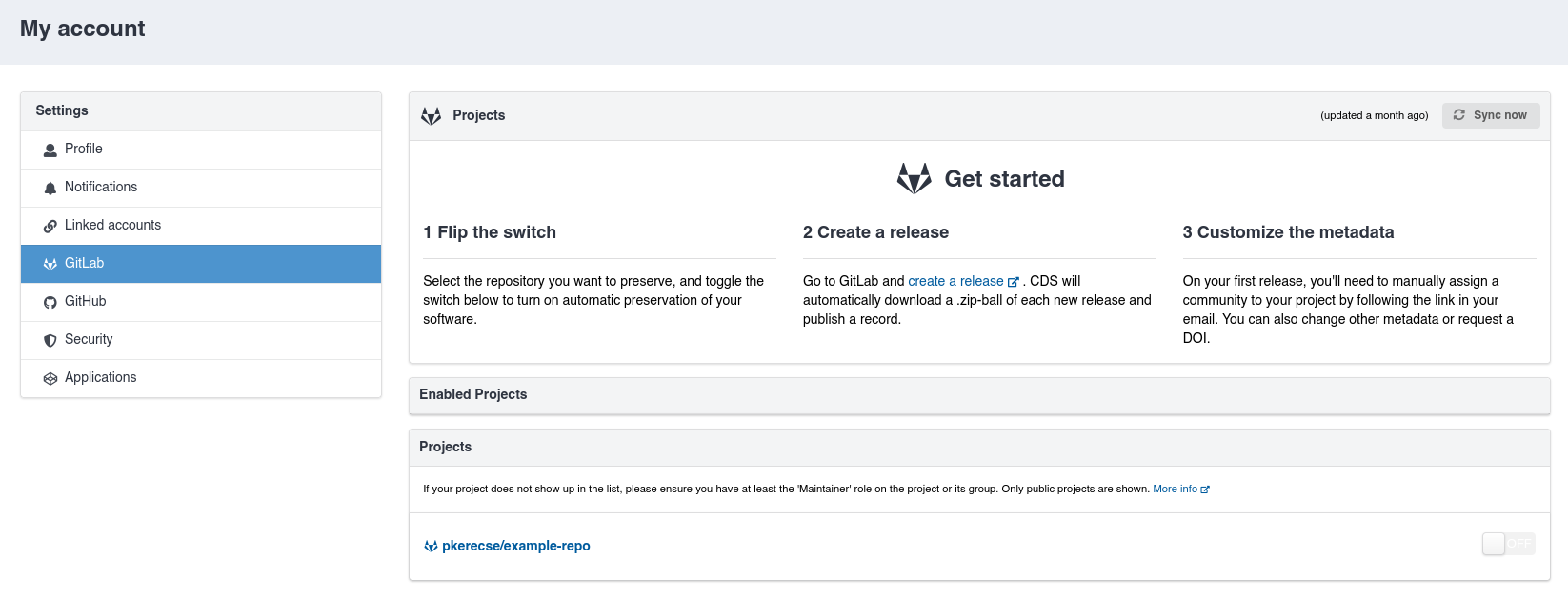
With the optional Invenio-VCS module, you can let users connect their accounts from various Version Control System (VCS) code forges and sync their repositories.
Each new release is published as a record in InvenioRDM with metadata imported automatically.
Install the module
Invenio-VCS is an optional module and is not included by default. To start using it, install it.
-
Add the dependency to your
pyproject.tomlfile viauvor your chosen package manager.uv add invenio-vcs -
Install the dependencies:
invenio-cli install -
Run database migrations:
invenio alembic upgrade head
Configure
Currently, the following code forges are officially supported:
- GitHub.com and Enterprise
- GitLab.com and self-hosted instances
You can also add support for any other provider (including non-Git ones) by implementing its integration.
To enable the module, configure it in your invenio.cfg:
-
Configure the integration by following quick start steps in the documentation.
-
Add the following:
# enable notifications to users on release

from invenio_rdm_records.notifications.vcs import (
    RepositoryReleaseCommunityRequiredNotificationBuilder,
    RepositoryReleaseCommunitySubmittedNotificationBuilder,
    RepositoryReleaseFailureNotificationBuilder,
    RepositoryReleaseSuccessNotificationBuilder
)
from invenio_app_rdm.config import NOTIFICATIONS_BUILDERS

NOTIFICATIONS_BUILDERS = {
    **NOTIFICATIONS_BUILDERS,
    RepositoryReleaseSuccessNotificationBuilder.type: RepositoryReleaseSuccessNotificationBuilder,
    RepositoryReleaseFailureNotificationBuilder.type: RepositoryReleaseFailureNotificationBuilder,
    RepositoryReleaseCommunityRequiredNotificationBuilder.type: RepositoryReleaseCommunityRequiredNotificationBuilder,
    RepositoryReleaseCommunitySubmittedNotificationBuilder.type: RepositoryReleaseCommunitySubmittedNotificationBuilder,
}

# Configure records classes and service components
from invenio_rdm_records.services.vcs.release import RDMVCSRelease
from invenio_rdm_records.services.components.vcs import VCSComponent
from invenio_rdm_records.services.components import DefaultRecordsComponent

VCS_RELEASE_CLASS = RDMVCSRelease

RDM_RECORDS_SERVICE_COMPONENTS = [
    **DefaultRecordsComponent,
    VCSComponent
]
That's it! Your configured provider(s) will be ready to use.
Default community configuration
On instances where a community is required to publish a record, users must select the target community for their releases when enabling a repository. They are prompted to do this via a modal that appears when they click the toggle switch.
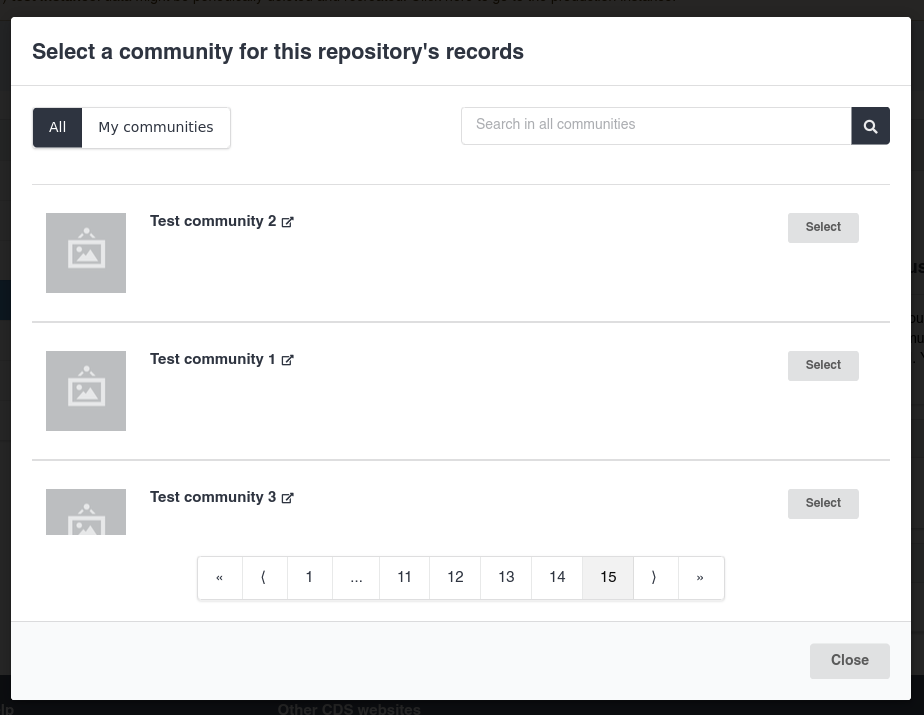
A repository cannot be enabled without selecting a community. For repositories that were enabled before
RDM_COMMUNITY_REQUIRED_TO_PUBLISH was set to True, new releases will fail. The user will receive an email
notification and can then select a community, after which the record will be published.
Upgrading from Invenio-GitHub
As of InvenioRDM v14, Invenio-GitHub has been deprecated. You can continue to use it for now, but support will be removed in InvenioRDM v15.
If your instance was actively using Invenio-GitHub (with at least one user having connected their GitHub account) and you want to preserve existing data, follow these steps to migrate to Invenio-VCS.
If you were not using Invenio-GitHub or do not need to preserve existing data, you can skip these steps.
Further customization
The behaviour of the Invenio-VCS module can be customized via configuration variables or by overriding code. Refer to the module's documentation for more details.