Profiler
Introduced in v14
InvenioRDM integrates Flask-MultiProfiler for analyzing Python, SQL, and search performance.
Features
- Start/stop profiling sessions from a web UI
- Code profiling: function-level profiling using pyinstrument
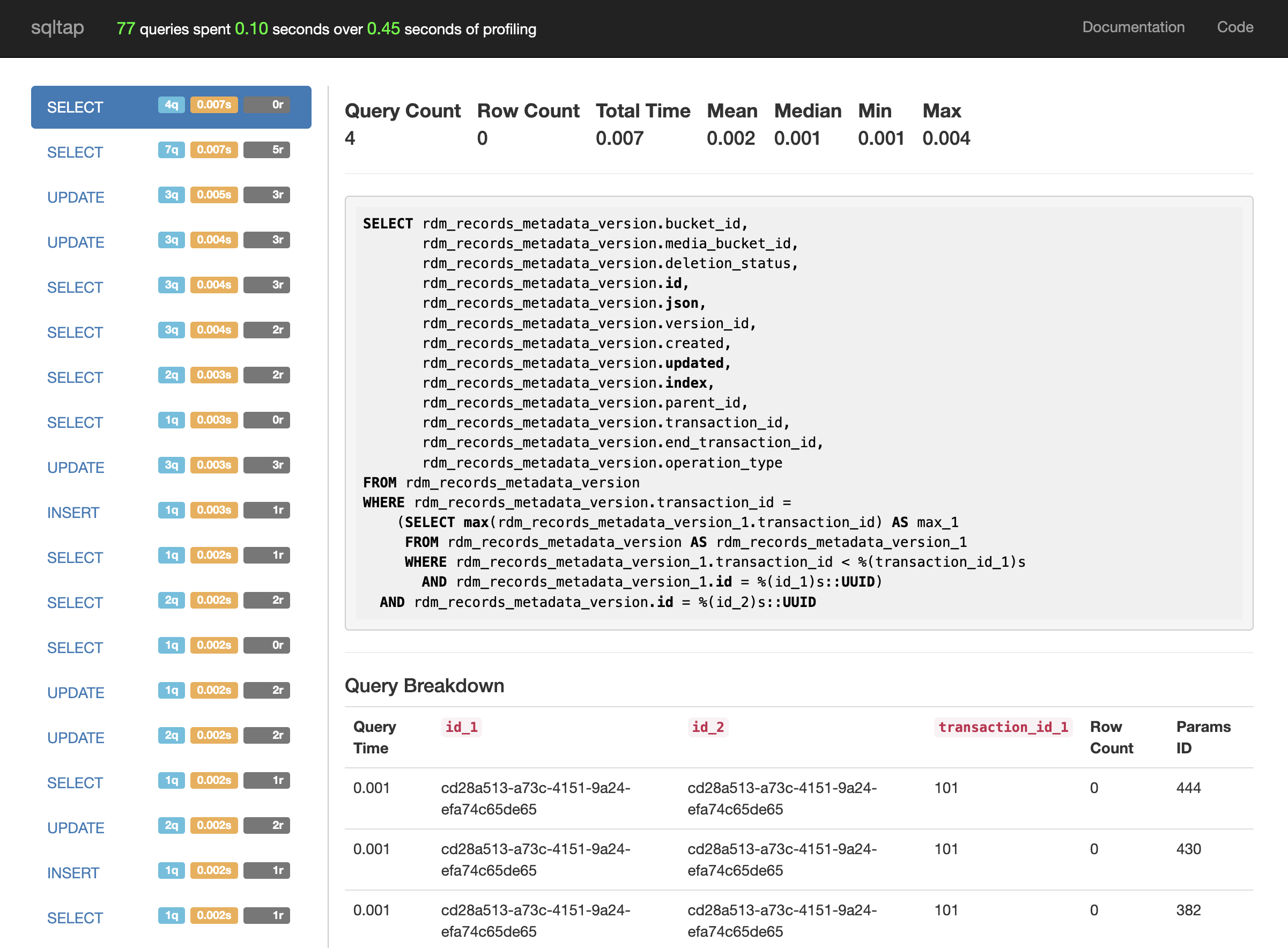
- SQL profiling: database query profiling using sqltap
- Search profiling: OpenSearch operation tracing via client trace logging
- Profiling data is saved per session as SQLite files in the configured storage directory
- Generated reports can be viewed (or downloaded) per request for each enabled profiler
Installation
The profiler's dependencies are included in the profiler extra of invenio-app-rdm:
pip install invenio-app-rdm[profiler]
Or, if you are using setup.cfg, ensure the following:
[options.extras_require]
profiler =
    flask-multiprofiler>=0.1.0
Without this extra, a no-op extension is loaded instead and the profiler UI is not available.
Enabling the profiler
The profiler is not installed by default in production instances. Install the profiler extra in development or staging environments where you need it.
Once installed, the extension is registered automatically via the invenio_base.apps and invenio_base.api_apps entry points. No additional enable flag is required.
Customization
You can customize the profiler's behavior by setting Flask config variables in your instance's invenio.cfg:
MULTIPROFILER_STORAGE: path object or string, directory for profiler databases (default:$INSTANCE_PATH/profiler)MULTIPROFILER_ACTIVE_SESSION_LIFETIME:timedelta, how long a session remains valid (default: 60 minutes)MULTIPROFILER_ACTIVE_SESSION_REFRESH:timedelta, session activity refresh window (default: 30 minutes)MULTIPROFILER_IGNORED_ENDPOINTS: list of endpoint regexes to skip (default includesstatic,_debug_toolbar.static,profiler\..+, andinvenio_formatter_badges.badge)MULTIPROFILER_PERMISSION: callable returningTrueif the current user may access the profiler (default: administrators only viaadministration_permission.can)MULTIPROFILER_SEARCH_TRACE_LOGGER: logger name used for search trace logging (default:opensearchpy.trace)MULTIPROFILER_BASE_TEMPLATE: base template for the profiler page (default:flask_multiprofiler/index.html)
Usage
With the profiler extra installed:
- Sign in as a user allowed by
MULTIPROFILER_PERMISSION(administrators by default). - Open the Profiler entry from the user profile admin menu, or visit
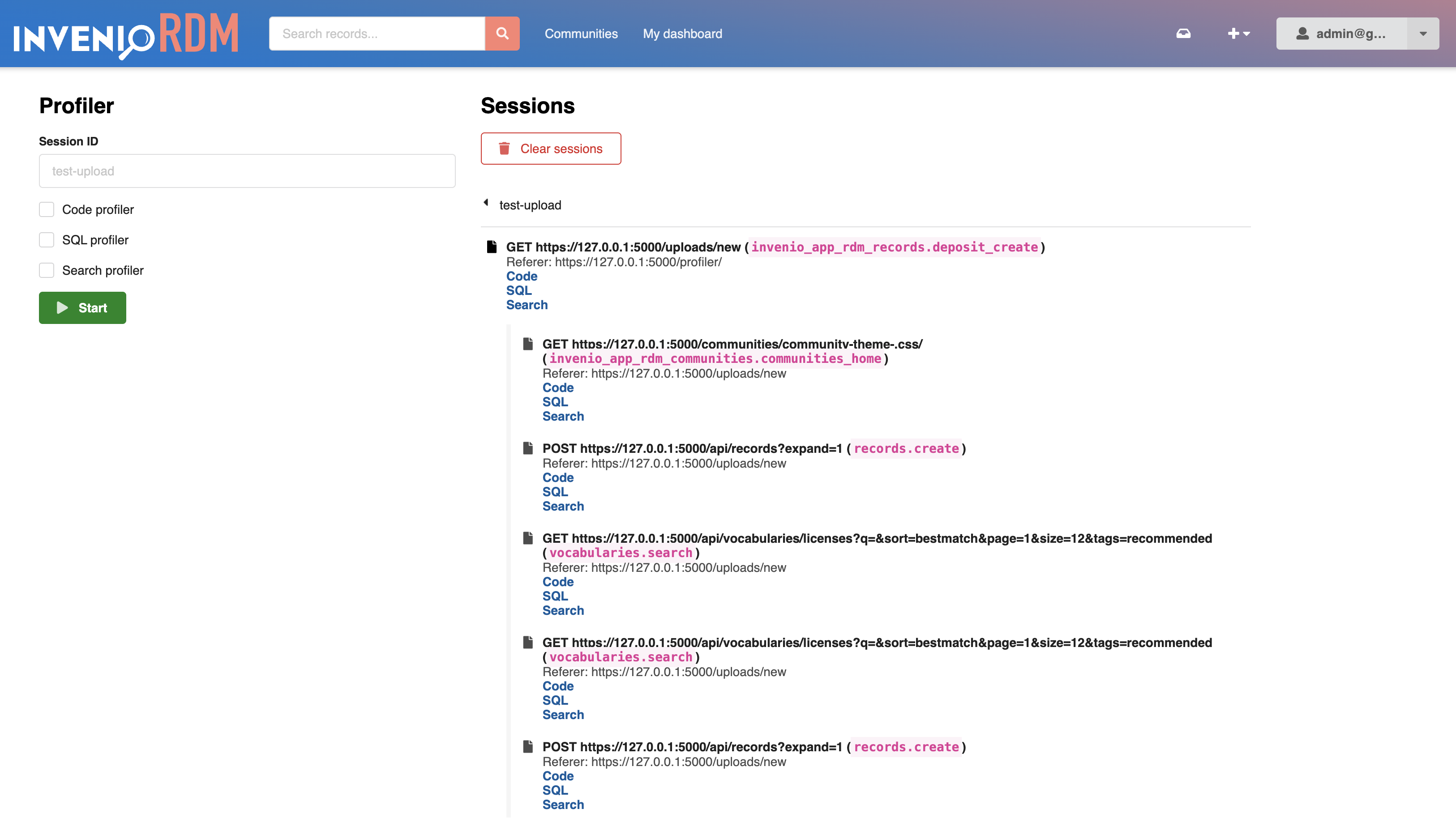
/profiler/directly (e.g.http://localhost:5000/profiler/). - Start a profiling session by choosing:
- a session ID,
- whether to enable code profiling,
- whether to enable SQL profiling,
- whether to enable search profiling.
- Interact with your site as usual. The profiler collects data for each request while the session is active.
- Return to
/profiler/to view and manage collected sessions and their reports.
Search profiling
Search profiling intercepts trace logs from the OpenSearch Python client. InvenioRDM defaults to opensearchpy.trace.
Supported clients:
- OpenSearch
- Elasticsearch v7.x
Troubleshooting
- If the profiler menu does not appear, confirm
invenio-app-rdm[profiler]is installed and thatflask-multiprofilerimported successfully. - Ensure
MULTIPROFILER_PERMISSIONallows access for the signed-in user.